AI Agent Flow
The AI Agent Flow action allows you to run an AI agent directly inside your bot flow, enabling fully automated conversations with your customers based on the goals and behavior you have defined.
Before using this action, you need to create at least one AI agent. See the AI agent setup guide to get started.
How to use it
- Add the AI Agent Flow action to your bot flow.
- Select the AI agent you want to use from the Selected AI agent dropdown.
- Click Save.
The action will be added to your flow with its exit reason nodes, which define what happens after the agent finishes — or stops — handling the conversation.
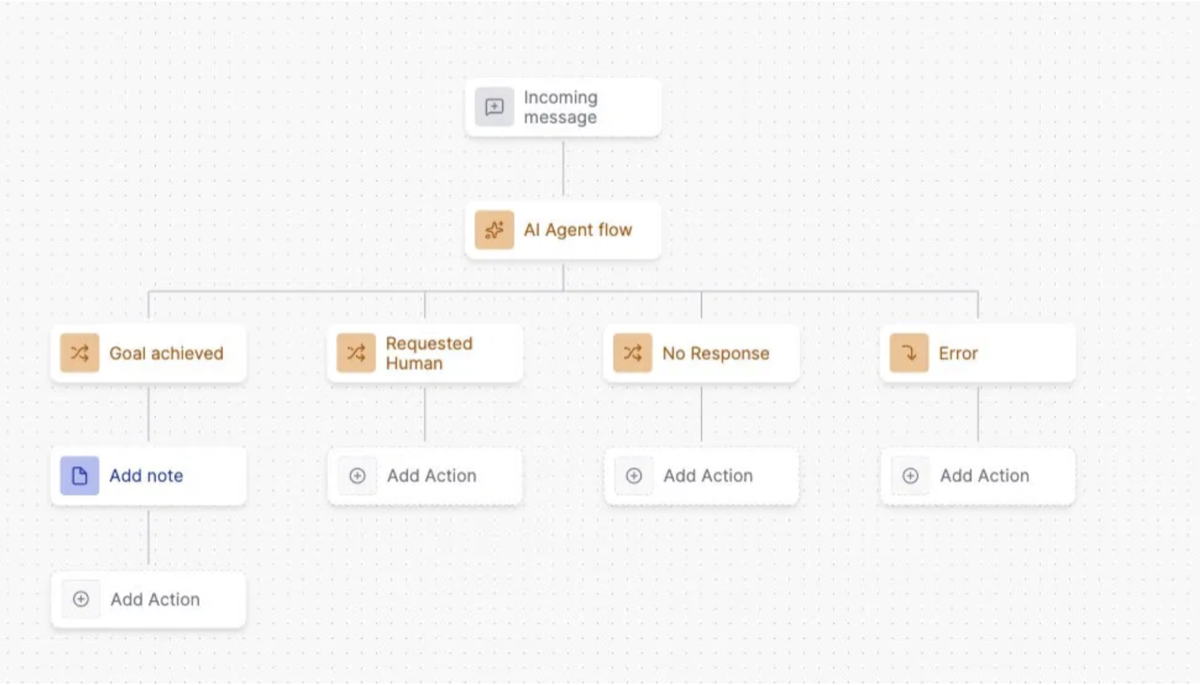
Exit reasons
Exit reasons define the different paths the bot flow can take after the AI agent stops. There are 4 default exit reasons and 3 optional ones you can add based on your use case.
Default exit reasons
| Exit reason | When it triggers |
|---|---|
| Goal achieved | The agent determines that the goal defined in the AI agent configuration has been completed. An internal note with the agent output is added automatically. |
| Requested Human | The customer explicitly asks to speak with a human. The agent stops sending messages and the flow continues on this path. It is recommended to assign the conversation to a team or agent at this point. |
| No Response | The customer stops replying. By default, the agent sends 2 follow-up messages with a 5-minute interval between each. If there is still no reply, the flow continues on this path. The number of follow-ups and the waiting time can be customized in Advanced settings. |
| Error | Triggered when an unexpected error occurs or when the AI credit wallet runs out. Use this path to assign the conversation to a human agent or redirect to a traditional fixed bot flow. |
Optional exit reasons
In addition to the 4 default exit reasons, you can add up to 3 optional ones for more granular control:
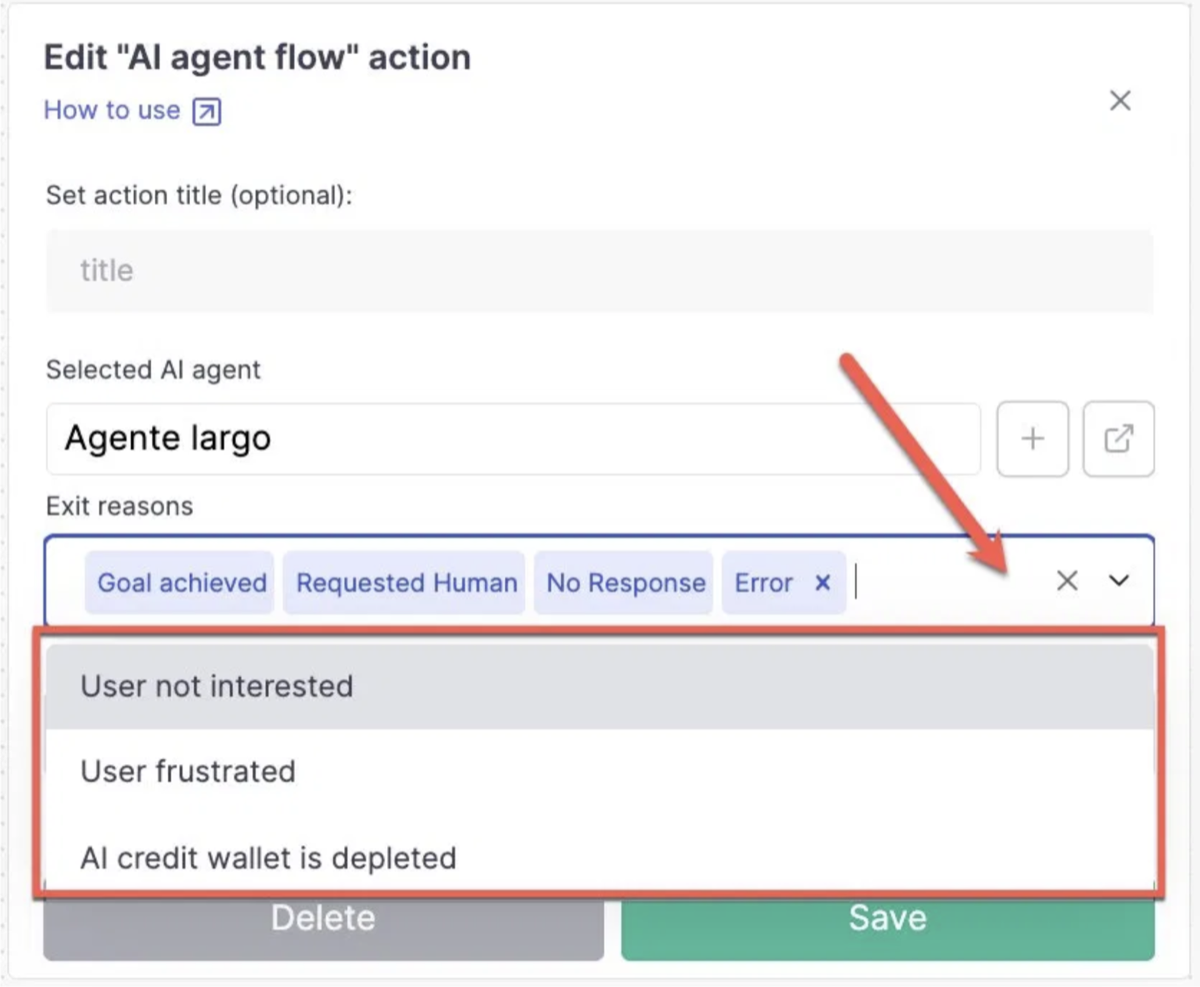
| Exit reason | When it triggers |
|---|---|
| User not interested | The customer explicitly states they are not interested in the conversation, service, or product. |
| User frustrated | The customer shows signs of frustration or anger with the agent's responses. |
| AI credit wallet is depleted | Triggered specifically when the AI credit wallet runs out, allowing you to customize what happens in this scenario independently from the generic Error path. Learn more about AI credits. |
Additional knowledge (optional)
The action includes a free text field where you can pass dynamic information collected earlier in the bot flow to the AI agent. This is useful when you want to enrich the agent's context with data coming from external sources, such as a Webhook or a Google Sheets action.
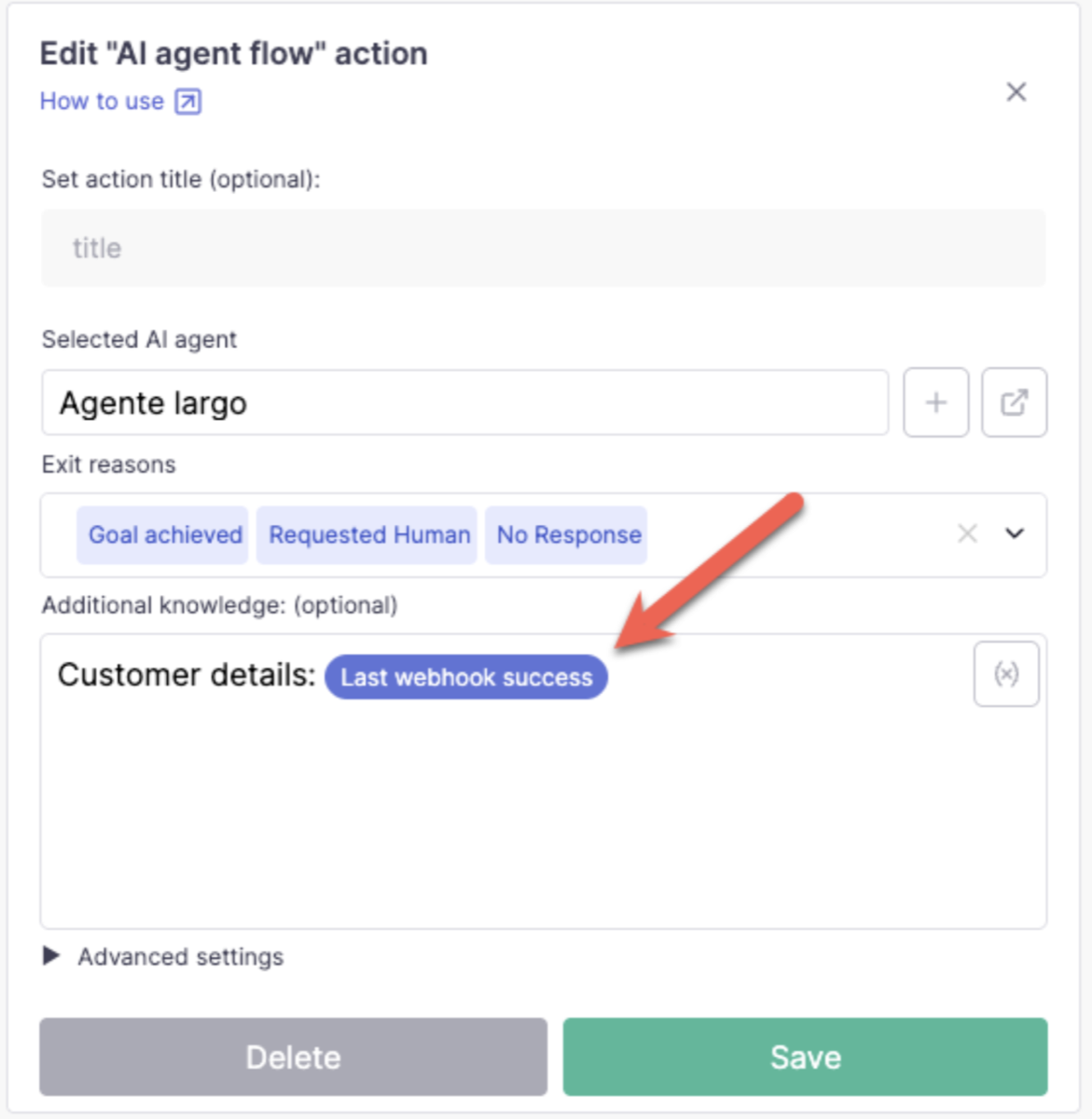
Example: retrieve a customer's order status from an external tool via webhook, store it in a variable, and pass it to the agent so it can reference that information during the conversation.
Advanced settings
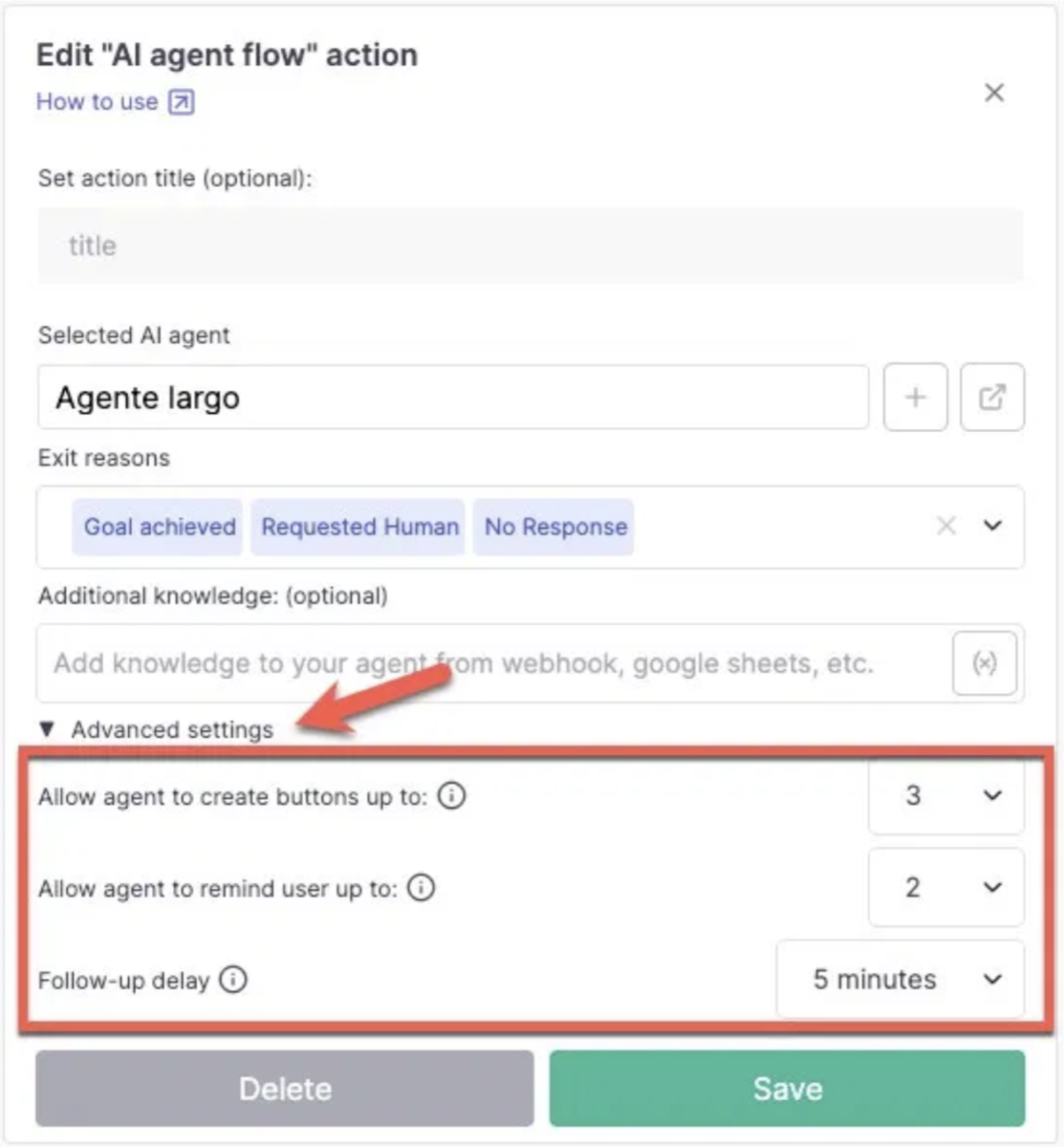
| Setting | Description |
|---|---|
| Allow agent to create buttons | Enables the AI agent to send messages with interactive buttons. The agent can include up to 3 buttons per message. |
| Allow agent to remind user | Sets how many automatic follow-up messages the agent will send if the customer stops replying. |
| Follow-up delay | Sets how long the agent waits before sending a follow-up message. Options range from 5 minutes to 23 hours. |