Transcribe Audio
This action transcribes audio messages sent by users inside a bot flow, converting them to text and storing the result in a variable for use in subsequent actions.
If you are using the AI Agent Flow action, audio transcription is already handled automatically. There is no need to add this action separately if your bot uses an AI Agent.
How it works
To transcribe an audio message, you need two things in your bot flow: a way to detect when the user sends an audio, and the Transcribe Audio action to process it.
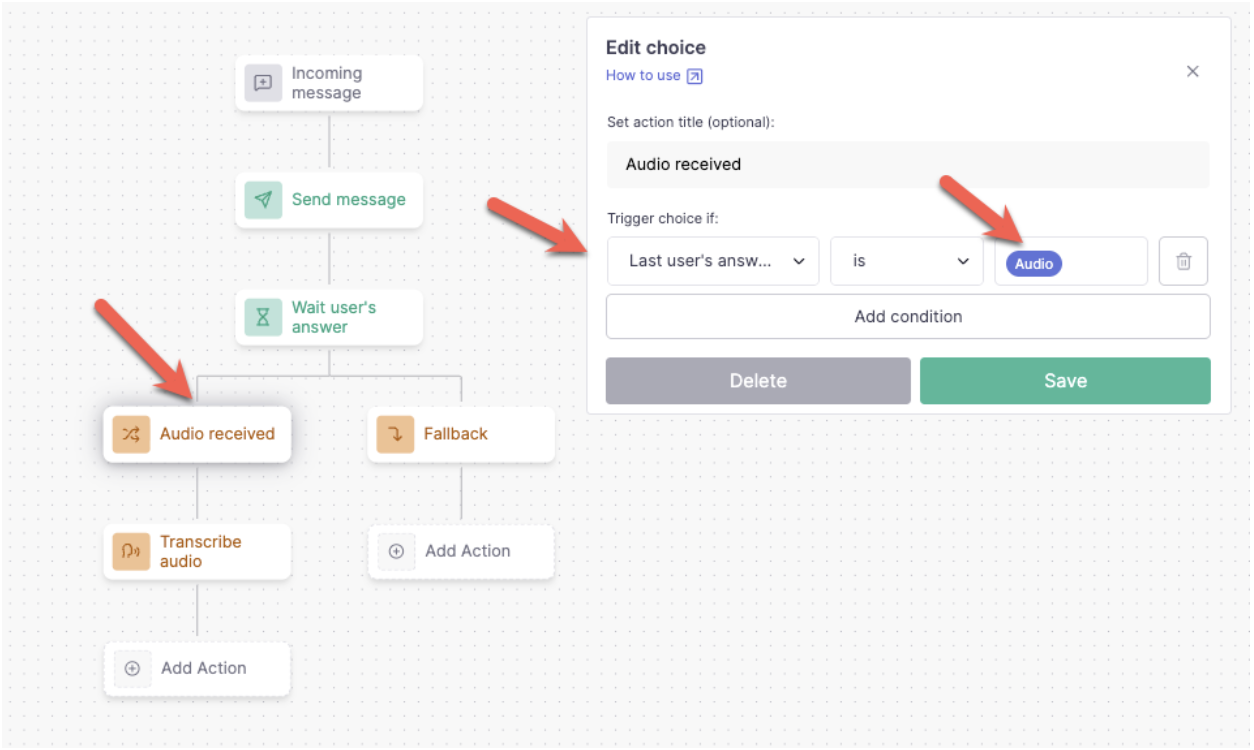
Step 1: Detect the audio with a Choice node
Add a Choice node after a Wait user's answer action. Inside the choice, set the condition to:
- Last user's answer type → is → Audio
This creates a dedicated path that only triggers when the user sends an audio message. Name it accordingly (for example, "Audio received") to keep your flow readable.
Step 2: Add the Transcribe Audio action
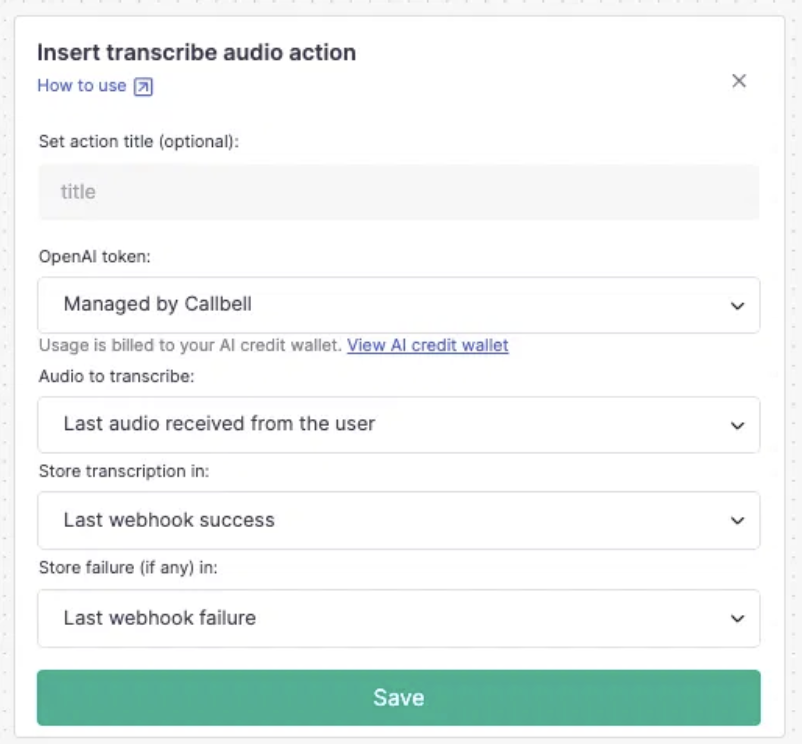
On the audio path, add the Transcribe Audio action and configure the fields described below.
Configuration
OpenAI token
The transcription is processed by OpenAI externally from Callbell. There are two options:
- Managed by Callbell (recommended): no setup required. The cost is deducted from your AI credit wallet.
- Custom token: use your own OpenAI API key and pay directly to OpenAI.
Audio to transcribe
Select which audio to transcribe:
- Last audio received from the user: transcribes the most recent audio message received in the conversation.
- Custom audio URL: transcribes any audio by providing its URL. Useful when the audio comes from an external source.
Store transcription in
Select the variable where the transcribed text will be saved. This variable can then be used in subsequent actions, such as sending a message, adding a note, or passing data to a webhook.
Store failure (if any) in
Select a variable to store any error message in case the transcription fails. This allows you to handle failures gracefully in your bot flow.