How to create custom fields from webchat
In this quick guide you will learn how to create custom fields in the Callbell app using information that is sent via our webchat.
Step 1: Generate the webchat code snippet
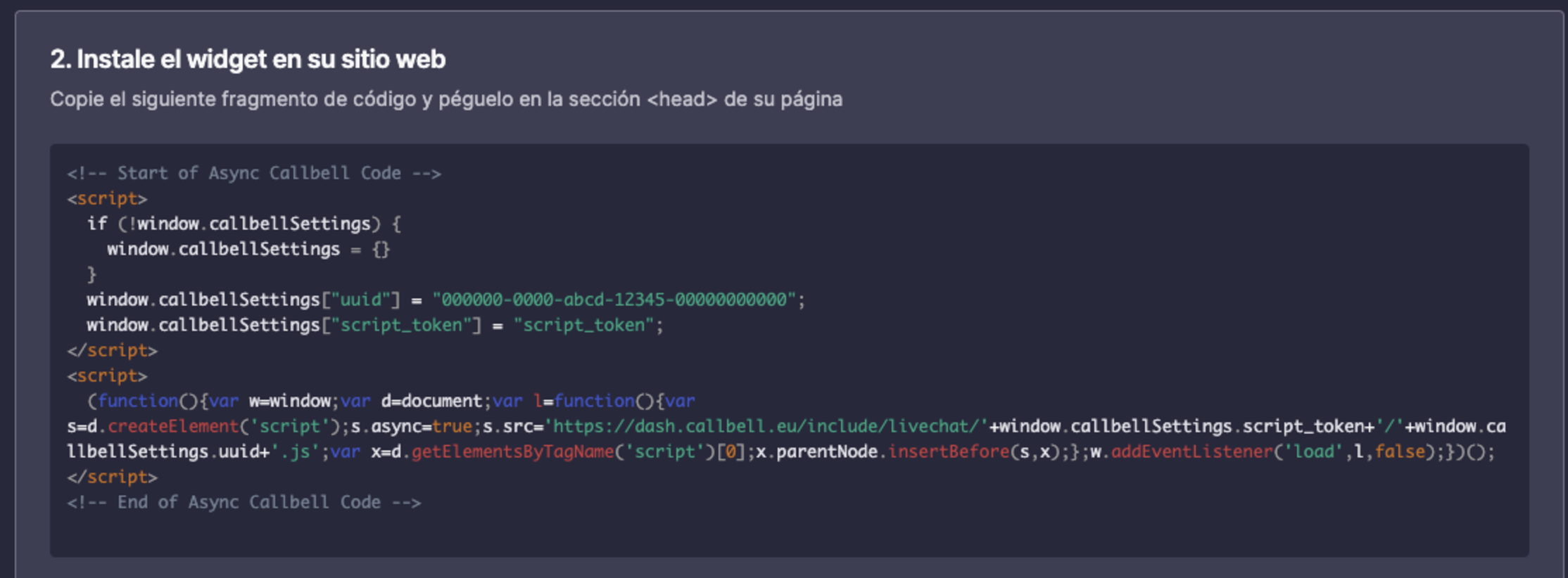
After creating a webchat integration and customizing it according to your preferences, go to the second section of the widget configuration page. There you will see a code snippet that was generated to be copied and pasted into your website in order to make the webchat work.
Step 2: Edit code snippet
In our case, what we want is to send information from our website to Callbell app whenever a user starts interacting with the chat. We can achieve that simply by making some small changes in the code snippet generated above. See the example below:
<script>
  if (!window.callbellSettings) {
    window.callbellSettings = {}
  }
  window.callbellSettings["uuid"] = "000000-0000-abcd-1234-0000000000";
  window.callbellSettings["script_token"] = "script_token";
  window.callbellSettings["extra_params"] = {
    "identifier": '12345567',
    "course": "Computer Science",
    "semester": "4rd"
  }
</script>
<script>
  (function(){var ...);
</script>
In this example, the extra fields are hard coded, but they can be information that are sent from your backend.
Note that the field identifier is mandatory. If it is not sent, the user will still be able to interact with the chat and send and receive messages, but no custom fields will be created. The identifier is saved on the contact as a custom field, like every other key in extra_params. It does not identify the user or the conversation: the webchat recognizes a returning user through its own session cookie, so sending the same identifier from another browser does not reopen the same conversation.
You can send maximum 20 extra fields to create custom fields in the Callbell app.
Example
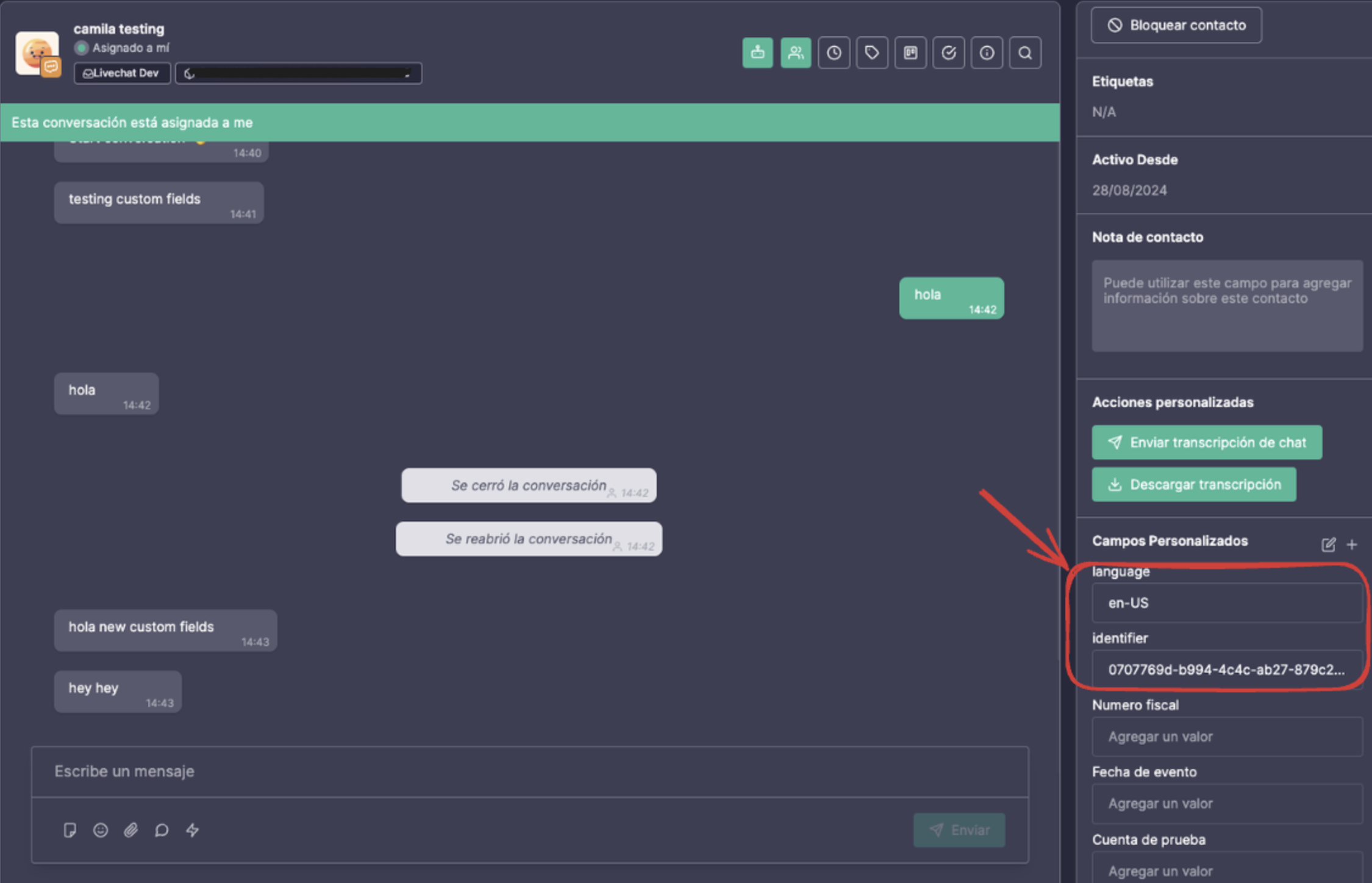
In the example below, we are generating random a UUID as an identifier and getting the browser language.
<script>
  if (!window.callbellSettings) {
    window.callbellSettings = {}
  }
  window.callbellSettings["uuid"] = "000000-0000-abcd-1234-0000000000";
  window.callbellSettings["script_token"] = "script_token";
  window.callbellSettings["extra_params"] = {
    identifier: self.crypto.randomUUID(),
    language: navigator.language,
  }
</script>
<script>
  (function(){var ...);
</script>
And this is how it will be show the the Callbell app.